School Tablet Games: 15 Free Browser Games for an iPad or Chromebook
Free games that run in a school tablet's browser, by touch or with the keyboard case, with each one's age rule, ads and controls checked in November 2026. Your school decides what its tablets can open.
By Catcopter Team
Quick answer
Our own Catcopter is a free browser game with touch controls on tablets, for players 13 and over, if your school allows it. For a short break on a school tablet, Kotonoha Tango (ことのはたんご), 2048 and Tetris are played by touch, Sushida (寿司打) is typing practice for the keyboard case, and Scratch lets you make your own games.
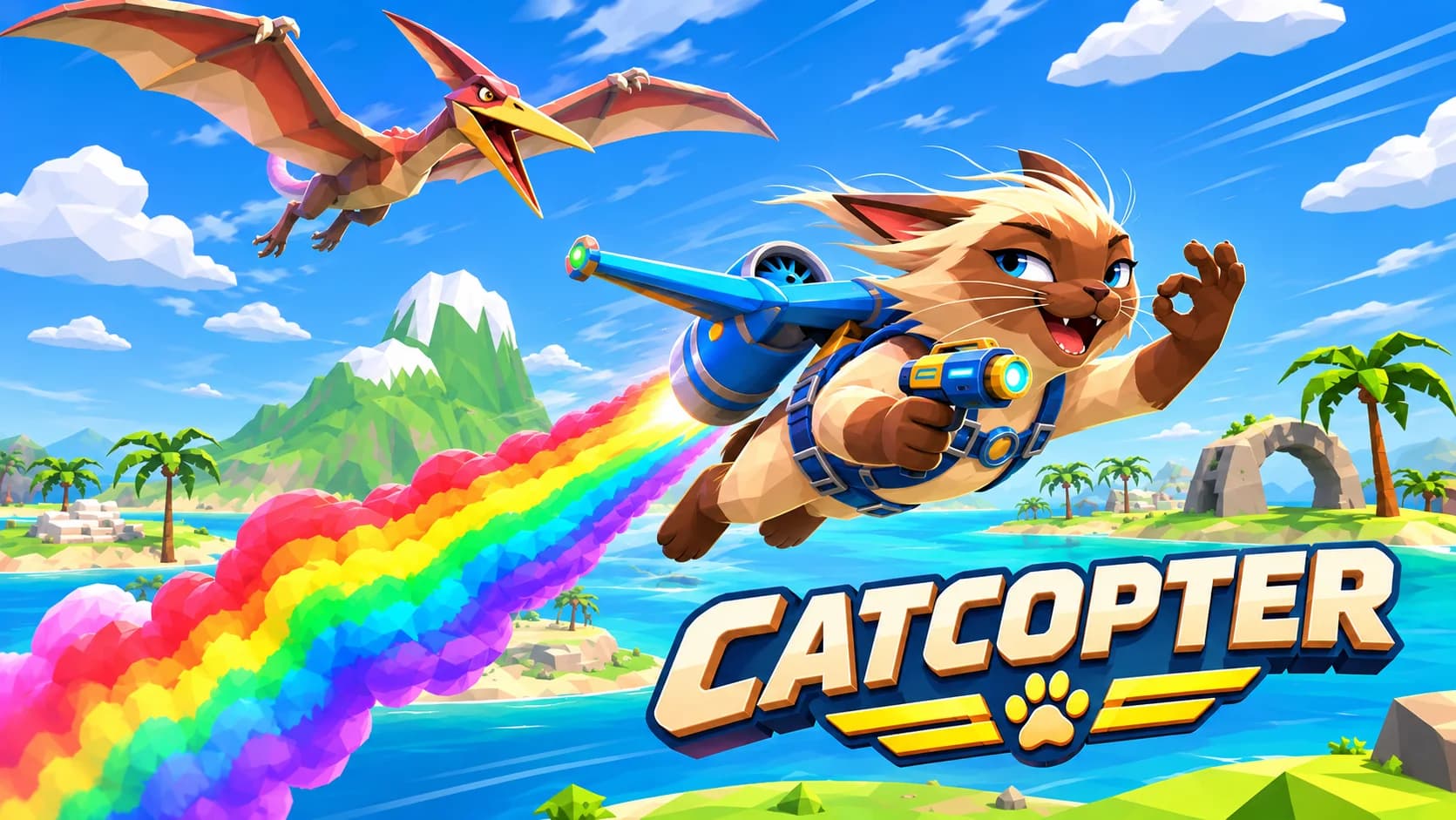
Looking for school tablet games now that Yahoo!きっず, the kids' portal many Japanese students used on school computers, closes on December 4, 2026? Here are 15 free games to play on a school tablet, whether your GIGA School device is an iPad, a Chromebook or a Windows tablet: touch-screen puzzles, typing, drawing and music, learning games and shogi, all in the browser. For each we note the age rule, the ads and whether you need touch or the keyboard, all checked on November 24, 2026.
What can you play on a school tablet?
Under Japan's GIGA School program, every student has a device of their own. In the second round, Chromebooks make up 60%, iPads 31% and Windows devices 10%, according to a 2025 survey of municipalities by MM総研. MEXT's minimum spec from April 2024 gives all three a 10 to 14 inch touch screen and makes a hardware keyboard and a touch pen compulsory, so touch games and typing games both work.
What a school tablet can open is up to your school or city, not you or us, so a game that works at one school may be switched off at another. If a game here doesn't open, that is your school's decision: ask a teacher instead of trying to get around it.
How we picked school tablet games
Every game here is free, runs in a browser with nothing to install, and loaded on its official site on November 24, 2026; prices and terms come from those pages. We looked for browser games for tablets that you play by tapping, swiping or drawing, plus a few for the keyboard case. We opened several in a touch-screen layout on a desktop browser, which is not a real iPad, so where a game's own site doesn't mention tablets, we say so.
Our list for school PCs and Chromebooks covers games you play with a mouse; only 2048 and Seterra appear in both. We make Catcopter, so it goes first.
School tablet games at a glance
| Game | Type | Controls | Price | Age rule |
|---|---|---|---|---|
| Catcopter | Flying team shooter | Touch on tablets | Free | 13+ (our terms) |
| Kotonoha Tango (ことのはたんご) | Japanese word puzzle | Touch | Free, with ads | None stated |
| 2048 | Number puzzle | Swipe or arrow keys | Free | None stated |
| Tetris | Falling-block puzzle | Touch or keyboard | Free, with ads | None stated |
| Sudoku.com | Sudoku | Touch | Free, with ads | None stated |
| Sushida (寿司打) | Typing game | Keyboard | Free | None stated |
| Quick, Draw! | Drawing game | Finger or mouse | Free | None stated |
| Chrome Music Lab | Music toy | Touch | Free | None stated |
| Seterra | Map quizzes | Tap the map | Free, with ads | Accounts 16+ or with a guardian |
| Scratch | Make and play games | Touch; many games use keys | Free | Made for ages 8 to 16 |
| Dance Party (Code.org) | Coding activity | Touch | Free | US grades 2 to 12 |
| Kahoot! | Class quiz | Tap your answer | Free for players | Accounts 13+ (US) or 16+ |
| Lishogi | Shogi | Touch | Free, no ads | Accounts 16+, or kid mode |
| Microsoft Edge surf game | Endless surfing | Touch, keyboard or mouse | Free | None stated |
| Doodle Champion Island Games | Sports adventure | Arrow keys | Free | None stated |
Catcopter: our own game, so it goes first
- Platform
- Browser on desktop and phones
- Price
- Free
- Players
- Up to 20 per room; bots fill empty seats
- Download
- No
- Best for
- Players 13 and over with a few minutes at break time
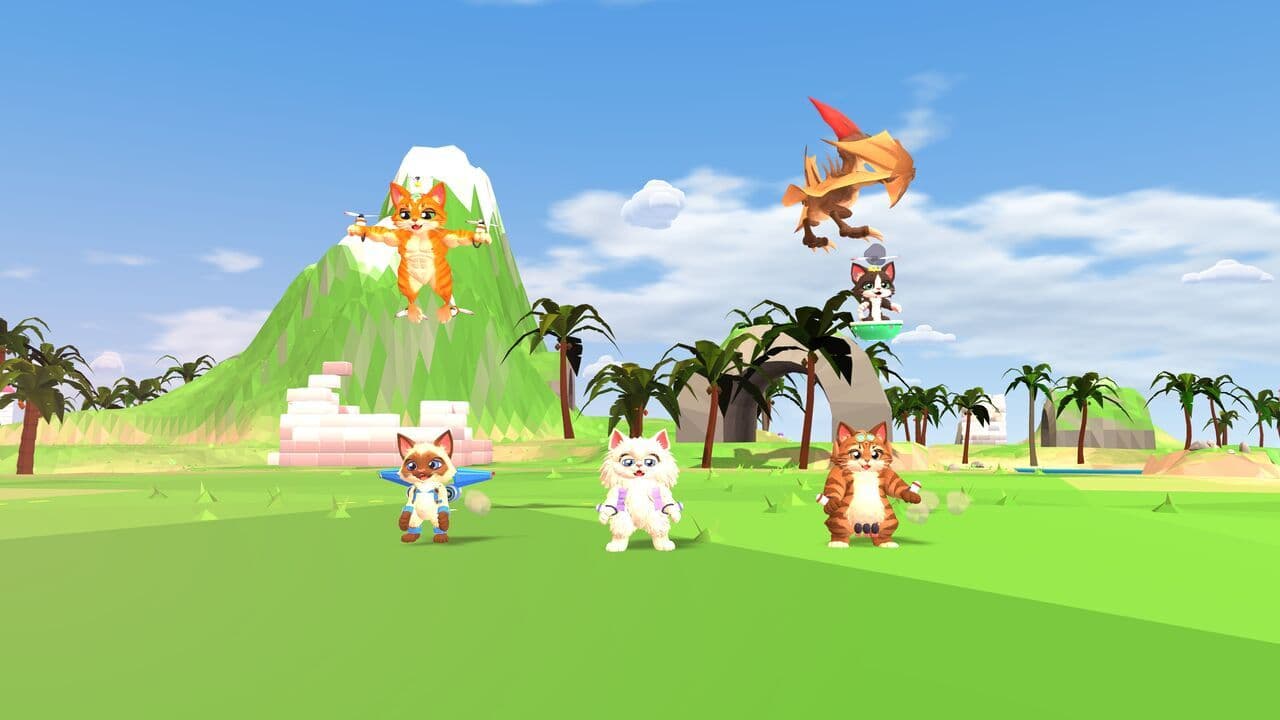
Catcopter is our game: a free multiplayer browser game in which every player is a cartoon cat that flies, fights and races. There is nothing to download and no account to make, touch controls appear on any touch screen, iPads in Safari included, and if a school device runs it slowly, the graphics settings go down to Basic or Potato. Public rooms hold up to 20 players and bots fill empty seats, so a match starts at once, and a Catnip Brawl round lasts five minutes. Classmates can share a private room through an invite link.
It is a shooter, if a cartoon one: cats fire laser pointers, fish missiles and yarn nets at each other. Our terms say players must be 13 or older, so it is not for elementary school students. The text chat has a word filter and can be switched off, and there is no voice chat. Whether Catcopter may be played at your school is the school's decision.
Touch screen puzzles for break time
These four are played with a finger, need no account and have no chat.
Kotonoha Tango (ことのはたんご)
- Platform
- Browser, with an on-screen kana keyboard
- Price
- Free, with ads
- Players
- 1
- Download
- No
- Best for
- One Japanese word puzzle a day
The Japanese Wordle: guess the day's five-letter katakana word in up to 10 tries, with tiles turning green, yellow or grey, and the same puzzle for everyone. In our touch-screen check it showed an on-screen katakana keyboard, switchable to hiragana or a 50音 layout. Independent developer Rikito Ohnishi (大西力登) launched it on January 25, 2022.
2048

- Platform
- Browser; swipe on a touch screen, arrow keys on a keyboard
- Price
- Free
- Players
- 1
- Download
- No
- Best for
- A number puzzle you can stop at any time
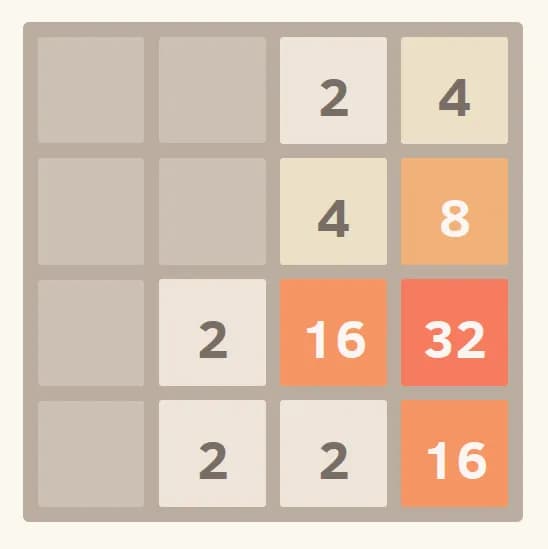
Slide numbered tiles on a 4 by 4 grid so matching numbers merge, and try to reach 2048. The original open-source code responds to swipes, so you play with a finger, or with the arrow keys on the keyboard case. Gabriele Cirulli released it on March 9, 2014 and still runs the site.
Tetris

- Platform
- Browser; touch or keyboard
- Price
- Free, with ads
- Players
- 1
- Download
- No
- Best for
- The original falling-block puzzle
The free official web version of Alexey Pajitnov's puzzle: rotate and drop Tetriminos to clear lines as the speed rises. The game's help explains its touch controls: drag your finger and the piece follows, let go and it drops into place. Display ads sit around the board.
Sudoku.com
- Platform
- Browser; tap the on-screen number pad
- Price
- Free, with ads
- Players
- 1
- Download
- No
- Best for
- Sudoku (数独 / ナンプレ) at six levels
Classic 9 by 9 sudoku from Easybrain with a Japanese page, six levels from Easy to Extreme, Killer sudoku and daily challenges. You tap a 1 to 9 number pad with Undo, Erase, Notes and Hint buttons, and the hints explain each solving technique.
Typing, drawing and music games
Sushida (寿司打)
- Platform
- Browser with WebGL; needs a keyboard
- Price
- Free
- Players
- 1
- Download
- No
- Best for
- Romaji typing practice on the keyboard case
A regular on Japanese lists of school tablet games: type the words on the sushi plates before they pass on the conveyor belt. It accepts different romaji spellings (し as si, shi or ci), settings turn furigana and romaji hints on or off, and its FAQ says schools may use it for typing practice in class. It needs a browser with WebGL.
Quick, Draw!
- Platform
- Browser; draw with a finger or a mouse
- Price
- Free
- Players
- 1
- Download
- No
- Best for
- A 20-second drawing game with a Japanese menu
Google's drawing game from 2016: you get a word and 20 seconds to draw it while a neural network tries to guess it, six drawings a game. You draw with your finger, and the menu includes Japanese. The page says drawings can be added to Google's public dataset for machine learning research, which is worth knowing before a class plays. There is no official app.
Chrome Music Lab
- Platform
- Browser on phones, tablets and computers
- Price
- Free
- Players
- 1
- Download
- No
- Best for
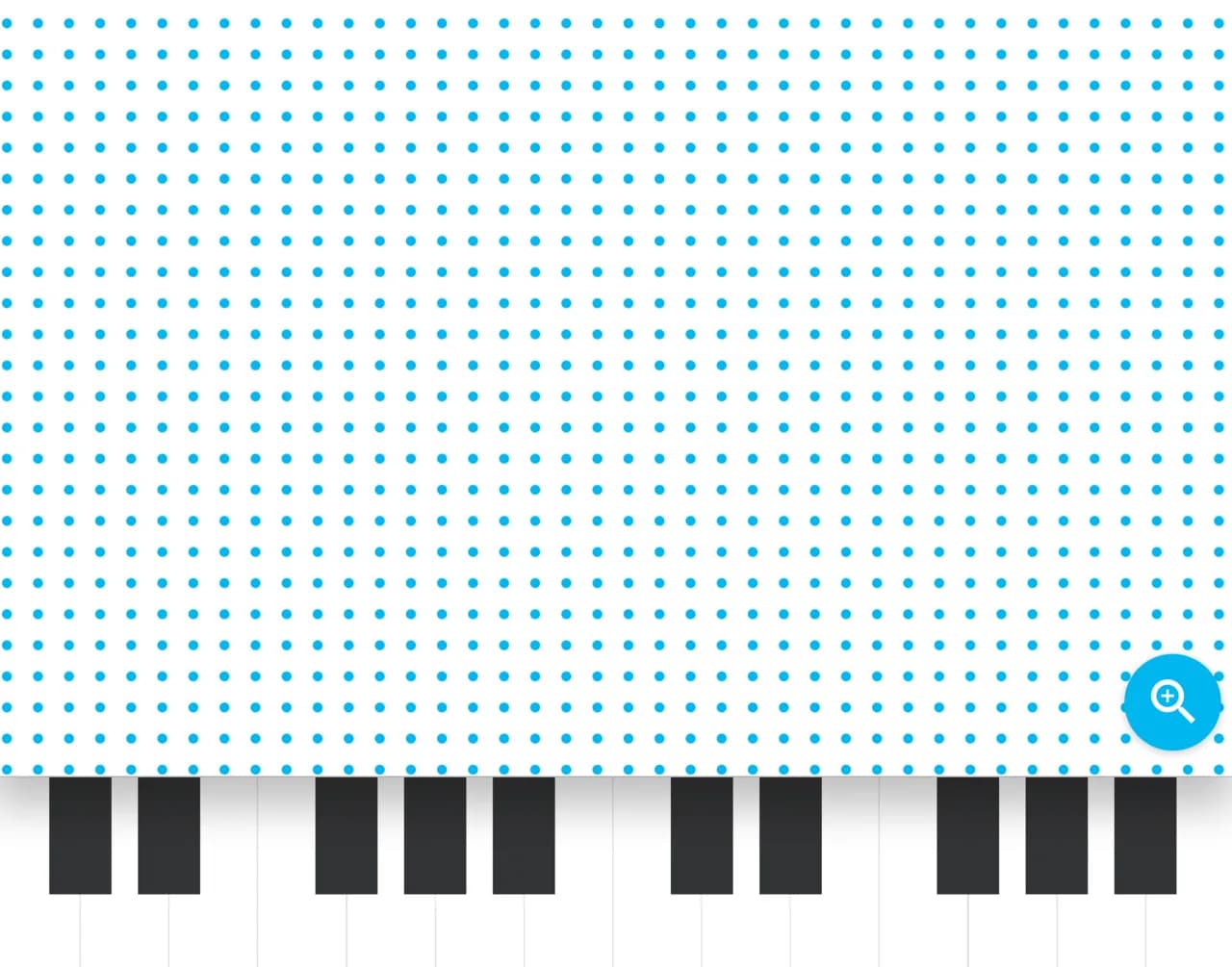
- Making a tune by tapping a grid
Chrome Music Lab: official site
Google's free music experiments, launched in 2016, cover rhythm, chords, sound waves and more. The best known, Song Maker, lets you tap squares on a grid to build a melody and a drum beat, and Japanese elementary schools have used it in music lessons on GIGA devices. It needs no account and shows a banner recommending Chrome if your browser lacks a feature.
Learning games for class
Seterra


- Platform
- Browser; tap or click the map
- Price
- Free, with ads
- Players
- 1
- Download
- No
- Best for
- Japan's regions and prefectural capitals
Map quizzes since about 1997, now run by GeoGuessr, with a Japanese hub that includes Japan's nine regions (日本:地域), its 47 prefectural capitals (日本:県庁所在地) and the prefectures' flags. You answer by tapping places on the map. No account is needed; accounts, which save your results, are for ages 16 and over or younger players with a guardian.
Scratch

- Platform
- Browser on computers and tablets (iOS 10 or later, Android 8.0 or later)
- Price
- Free
- Players
- 1
- Download
- No
- Best for
- Making your own games, in Japanese or hiragana
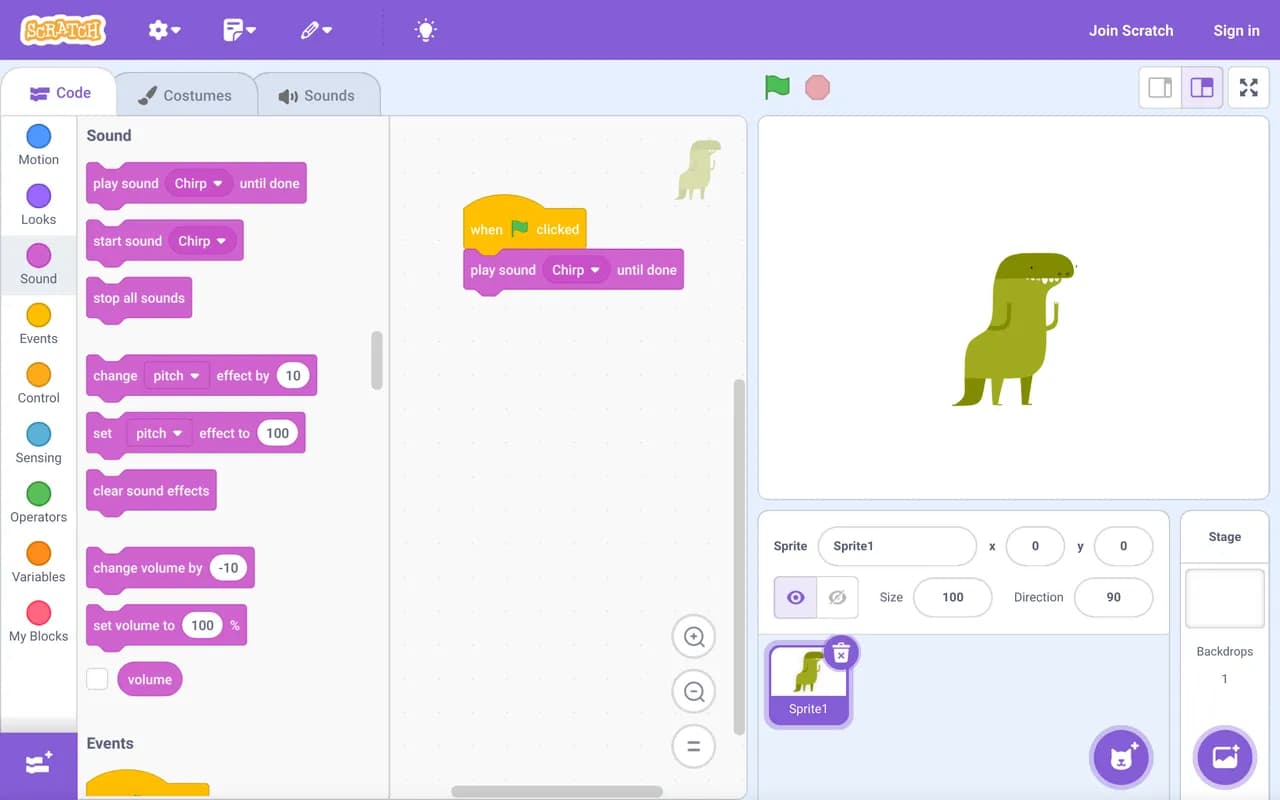
MIT's block-based programming site, now run by the nonprofit Scratch Foundation: snap blocks together to make games and animations, or play the millions other kids have shared, with menus in 日本語 or にほんご. Scratch supports tablets on iOS 10 or later, but says "key pressed" blocks can't be used on tablets, so pick games you play by tapping. It is designed for ages 8 to 16; saving and sharing need an account, and anyone under 16 needs a parent's or guardian's permission to register.
Dance Party (Code.org)
- Platform
- Browser; Code.org says its Hour of Code activities work on iPads and other tablets
- Price
- Free
- Players
- 1
- Download
- No
- Best for
- An hour of coding set to pop songs
Drag code blocks to make dancers move to songs by artists such as BTS, Beyoncé and Ed Sheeran; the AI Edition picks effects from three emojis you choose. It takes about an hour, and you don't need to sign in. Code.org, renamed CodeAI in June 2026 but still at code.org, says its Hour of Code activities work on iPads; we could not confirm a Japanese version of this one.
Kahoot!


- Platform
- Browser or app; join with a game PIN
- Price
- Free for players
- Players
- A whole class, with a host
- Download
- No
- Best for
- Quiz games your teacher runs in class
The quiz game teachers put on the big screen: everyone answers multiple-choice questions on their own device against the clock, with a live leaderboard. Players join with a game PIN and a nickname, no account needed; Kahoot's age limits (13 in the US, 16 in most other countries) apply to accounts. It needs a host, so it is a class activity rather than a break-time game.
Shogi on a school tablet
Lishogi

- Platform
- Browser, with a mobile layout and a Japanese menu
- Price
- Free, no ads
- Players
- 1 against the computer, or 2
- Download
- No
- Best for
- Shogi (将棋) and Dobutsu shogi (どうぶつしょうぎ)
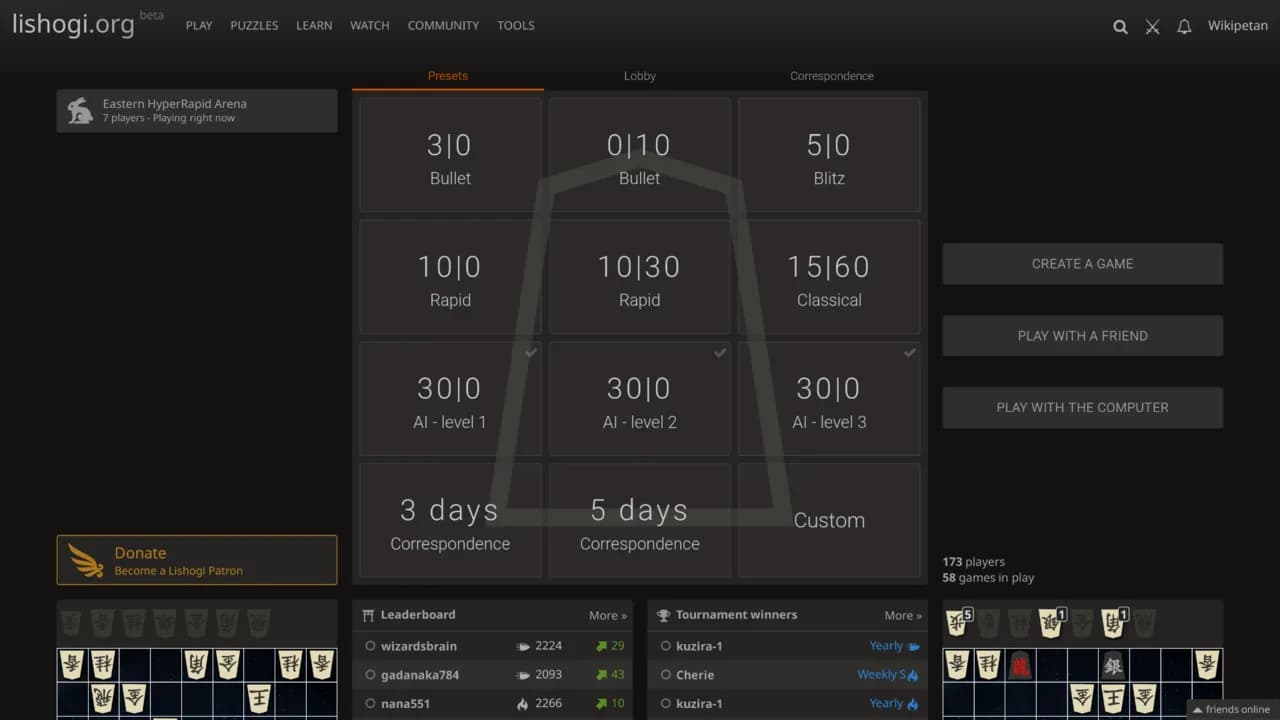
A free, open-source shogi server built from Lichess's code, with no ads: play the computer at eight levels, a friend by link or people online, plus tsume puzzles and lessons. Dobutsu shogi, Madoka Kitao's 3 by 4 game for children, arrived on March 4, 2026, and Japan is its largest group of players. You can play the computer or a friend without an account; signing up needs you to be 16, or younger with kid mode always on or a parent's supervision. It has chat, a forum and in-game chat.
Games from Microsoft and Google
Microsoft Edge surf game
- Platform
- Microsoft Edge (type edge://surf in the address bar)
- Price
- Free
- Players
- 1
- Download
- No
- Best for
- A Windows tablet with Edge
Microsoft Edge surf game: official site
A surfing game inspired by SkiFree, built into Edge since May 2020: dodge obstacles and the kraken in endless, time trial or zig zag mode. Microsoft says it plays with a keyboard, mouse, touch or a gamepad. School IT staff can switch it off, and some do; if it doesn't open, that is your school's decision.
Doodle Champion Island Games
- Platform
- Browser, from the Google Doodle archive; arrow keys
- Price
- Free
- Players
- 1
- Download
- No
- Best for
- A longer adventure full of Japanese folklore
Doodle Champion Island Games: official site
Google's 16-bit-style RPG for the Tokyo 2020 Olympics, made with the Tokyo studio STUDIO 4°C and released on July 23, 2021. You play Lucky, a calico cat athlete, on an island of Japanese folklore characters, with seven sport mini-games, side quests and scrolls to collect. In our touch-screen check it asked for the arrow keys, so plan on the keyboard case; we could not confirm touch controls.
Games for a school iPad: touch or keyboard?
On an iPad, every browser is built on Safari's engine, so a game that doesn't work in Safari usually won't work in Chrome either. Of the games here, Catcopter, Scratch and Code.org's Dance Party say they support iPads, and Chrome Music Lab says it runs on tablets. Kotonoha Tango, 2048, Tetris, Sudoku.com and Quick, Draw! are made for touch, but we found no iPad statement from them and did not test on a real iPad.
Two games need a keyboard: Sushida is a typing game, and Doodle Champion Island Games asks for the arrow keys. Sushida's site names Chrome, Firefox and Edge, not Safari, and does not say whether it works on an iPad. The Edge surf game takes touch too, but it lives in Edge, so it suits a Windows tablet.
Which school tablet game should you play?
- Five minutes at break time: Kotonoha Tango, 2048 or Tetris.
- Typing practice: Sushida, with the keyboard case.
- Drawing or music: Quick, Draw! or Song Maker in Chrome Music Lab.
- Making your own game: Scratch, or Dance Party for an hour of coding.
- Geography: Seterra's Japan quizzes.
- Shogi: Lishogi, with Dobutsu shogi for younger players.
- A longer adventure: Doodle Champion Island Games.
- Flying with classmates, if you are 13 or older and your school allows it: Catcopter.
If you play on a school PC or a Chromebook with a mouse, our games for school computers list has more, and the best Chromebook games cover Chromebooks at home and at school.
Frequently asked questions
What games can you play on a school tablet?
Free browser games with nothing to install, if your school allows them. Kotonoha Tango (ことのはたんご), 2048, Tetris and Quick, Draw! are played by touch and suit a short break, and Sushida (寿司打) is a typing game for the keyboard case. Each school decides what its tablets can open, so ask a teacher if a game doesn't load.
What games work on a school iPad?
Games that run in Safari: on an iPad every browser uses Safari's engine, so a game that fails in Safari usually fails in Chrome too. Scratch and Code.org's Dance Party say they support iPads, Catcopter shows touch controls in Safari on an iPad, and Tetris, 2048 and Quick, Draw! are played with a finger.
Can you play games on a GIGA School tablet?
Only when and where your school allows it. Each school or city sets which sites its GIGA devices can open and when games are allowed, so a game that works at one school may be switched off at another. If a game you think is fine doesn't open, ask a teacher instead of trying to get around the settings.
Do school tablet games need a keyboard?
Most don't: puzzles, drawing and music games are played by tapping, swiping or drawing. Sushida (寿司打) is a typing game and Doodle Champion Island Games uses the arrow keys, so those need the keyboard. MEXT's 2024 minimum spec makes a hardware keyboard compulsory for the new round of GIGA School devices.
How old do you have to be to play Catcopter?
Our terms say players must be 13 or older, so Catcopter is not for elementary school students. It is a cartoon shooter in which cats fly and fire at each other; its text chat has a word filter and can be switched off. Whether it may be played at school is your school's decision.
Image and video credits
- 2048. Image: Gabriele Cirulli, via Wikimedia Commons · MIT License · source
- Tetris. Logo: The Tetris Company, via Wikimedia Commons · Public domain (text logo; a trademark) · source
- Quick, Draw!. Video: A.I. Experiments: Quick, Draw! (Google for Developers, YouTube)
- Chrome Music Lab. Image: Google Creative Lab (Chrome Music Lab), Apache License 2.0 · Apache License 2.0 · source · Video: Introducing Chrome Music Lab (Google Chrome, YouTube)
- Seterra. Logo: Seterra (GeoGuessr), via Wikimedia Commons · Public domain (text logo; a trademark) · source
- Scratch. Image: Scratch 3.0 editor screenshot (Scratch by MIT and contributors), CC BY-SA 2.0, via Wikimedia Commons · CC BY-SA 2.0 · source · Video: Scratch! (Scratch Team, YouTube)
- Kahoot!. Logo: Kahoot!, via Wikimedia Commons · Public domain (text logo; a trademark) · source · Video: This is Kahoot! (Kahoot!, YouTube)
- Lishogi. Image: Kaotao, via Wikimedia Commons (Lishogi by the lishogi authors, AGPL) · AGPL-3.0-or-later · source
- Microsoft Edge surf game. Video: Microsoft Edge | Play the Surf Game (Windows, YouTube)
- Doodle Champion Island Games. Video: Welcome to the Doodle Champion Island Games! (GoogleDoodles, YouTube)
Screenshots of Catcopter are our own. Game names and logos belong to their owners.